More control over existing STMap transformations.
- Download the aeTools repository from GitHub as a ZIP, or clone it. One download brings every tool.
- Copy the
Aitor_Echevestefolder into your.nukefolder. - Add
nuke.pluginAddPath("./Aitor_Echeveste")to.nuke/init.pyand restart Nuke.
In the gizmo
- Change the transformation reference frame
- Invert the STMap transformation
- Apply vector-based motion blur
A tracked surface can be perfectly usable until you need it referenced to a different frame. Picture a Smart Vector patch on a face, with the STMap rendered relative to frame 1150, and then the edit changes and the useful reference becomes 1100. The usual options are to render the map again or to fall back on a heavier vector workflow. iSTMap lets you reuse the warp you already have.
An STMap is a list of addresses
An STMap isn't a picture of motion. Each output pixel stores the coordinates of the place in the source it should read from. Once you see it as a coordinate lookup, inversion, reference frames and motion blur become variations on one idea, and it becomes clear why inverting a map is not just moving it the other way.
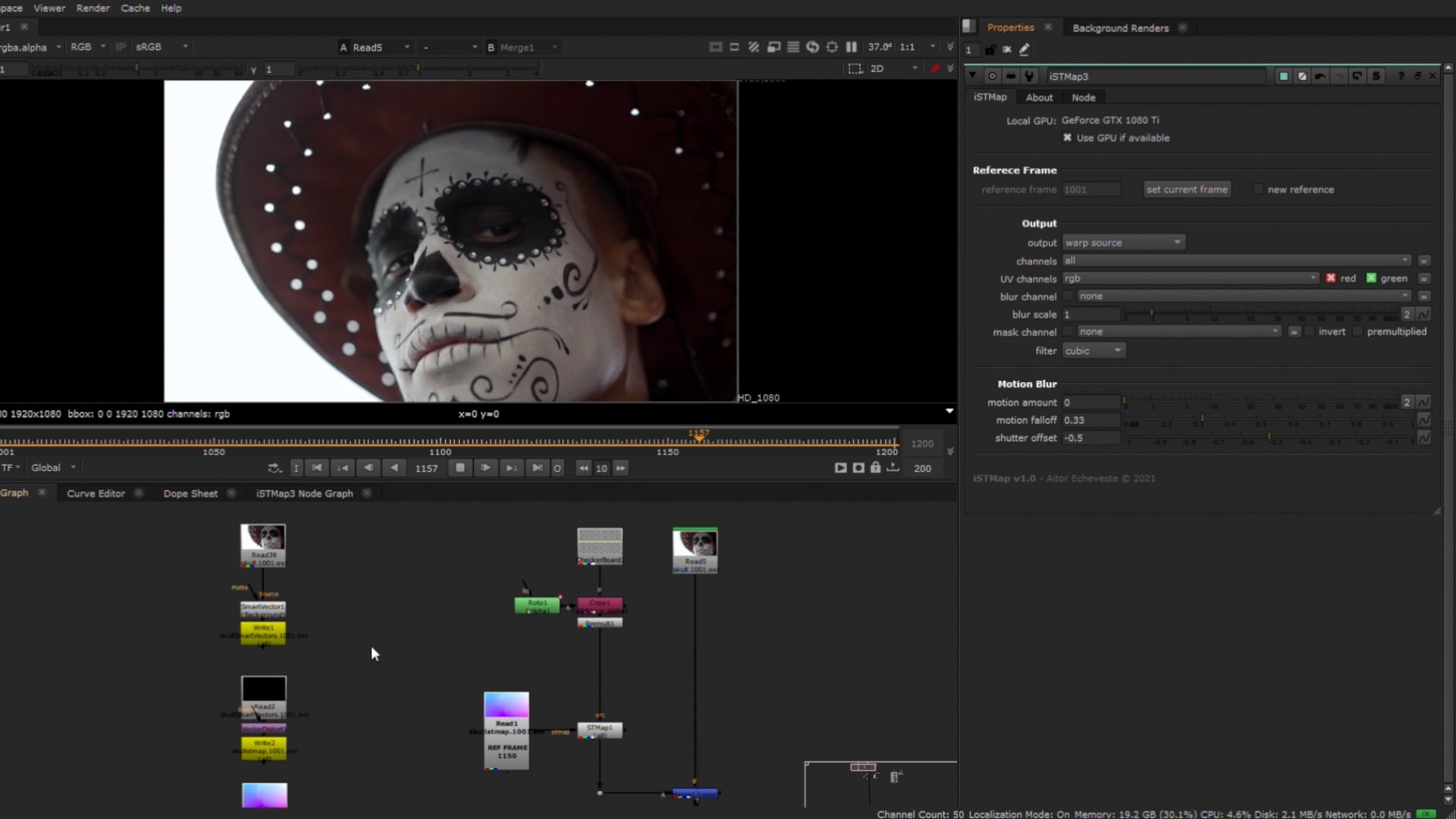
Moving the anchor
A stabilised texture is anchored to one instant. iSTMap composes the existing map so the anchor moves to a new reference frame: set the original reference, set the new one, and choose the output. It works with the information the map already holds, so small errors accumulate, and they grow the further the new reference is from the original. It's a fast alternative to re-rendering, not a guaranteed match for a fresh render.
Inverse maps and motion blur
The tool can output the inverse of the map or warp the source through it. Forward and inverse don't always cancel: occlusions, interpolation and areas that fold over themselves leave pixels with no source to read from.
A warped patch also doesn't get the plate's motion blur for free. iSTMap can derive motion from how the map moves between frames and apply blur with motion amount, falloff and shutter offset, so the patch moves like the plate around it.
Questions people ask
- Will a new reference match a freshly rendered STMap?
- Not necessarily. Re-referencing composes and resamples the existing map, so differences grow as the new reference moves away from the original.
- Why are there two versions in the repository?
- The package includes iSTMap and iSTMap11, from different generations of Nuke. Check which one suits your version before relying on it.